Failed
Always first, and the only red in the app. A failing PR also gets a thin red bar down its edge.
FAILURETIMED_OUTERRORSTARTUP_FAILURE
Menu-bar app for Mac · v1.0.1
Know which of your PRs are failing without opening a single tab.
Shipyard finds every open pull request you've authored across GitHub, sorts each one's CI checks into four plain buckets, and puts your most important PR's counts right in the menu bar. Sign in once and it just keeps up.

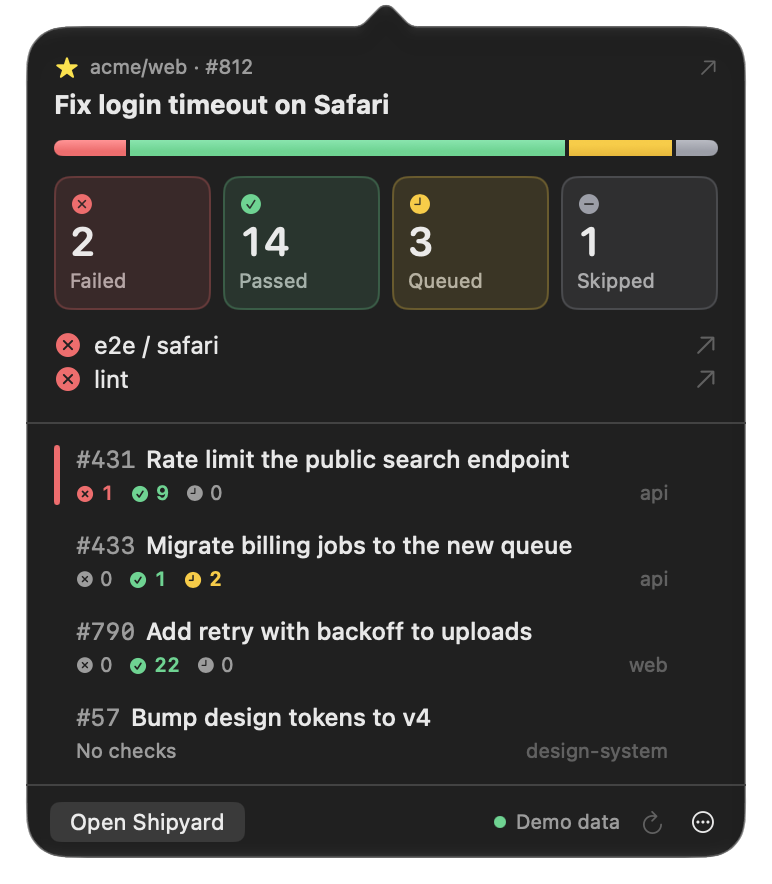
GitHub reports CI in more than a dozen states across two different APIs. Shipyard collapses them into the four you actually care about, and always lists them in the same order, so your eye lands on failures first.
Always first, and the only red in the app. A failing PR also gets a thin red bar down its edge.
A fully green PR shows a single count in the menu bar. Zeros stay grey everywhere, so color always means something.
Waiting and running together. Running checks get a spinner so you can tell them apart.
Cancelled runs are usually replaced by a newer one, so they land here. One toggle counts them as failed instead.
The popover covers most days. When you want to dig in, triage tickets or clean up, the main window has everything in three calm columns.
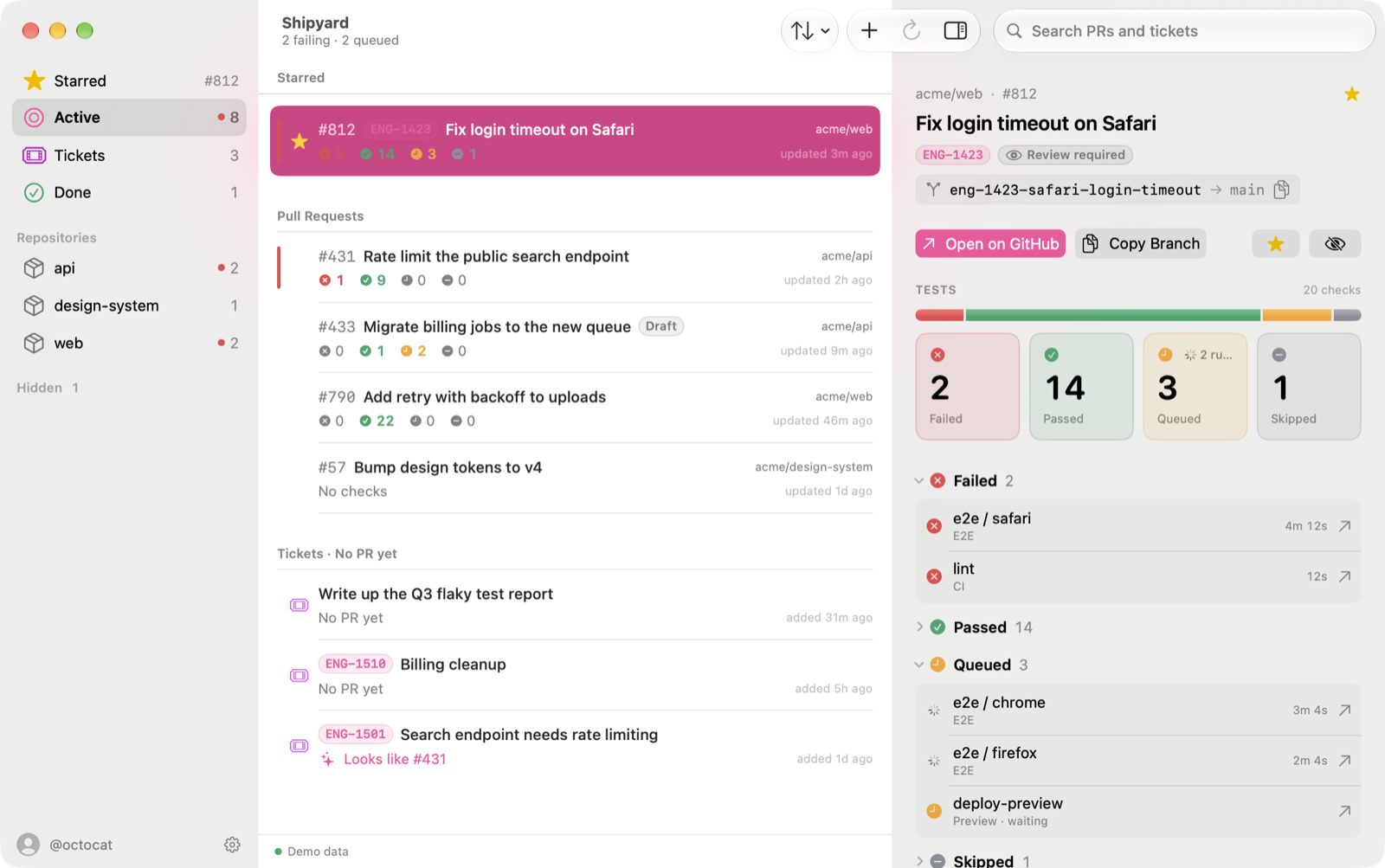
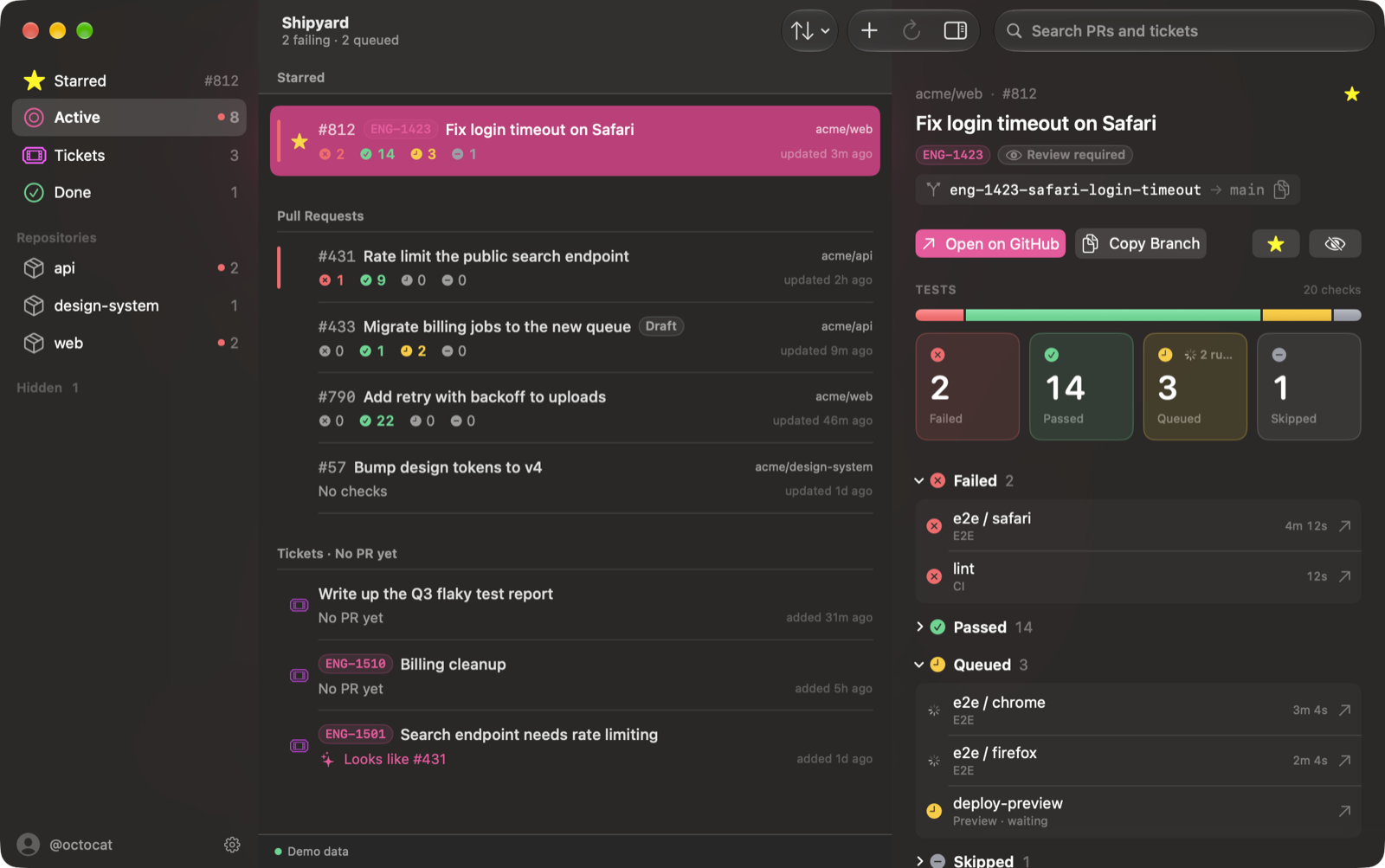
Sorted by urgencyYour starred PR pins to the top, then anything failing, then whatever changed most recently. Filter by repo from the sidebar.
Hide the noisePRs you don't care about go away with ⌘⌫ and an undo toast. They stay hidden across renames and restarts.
Light and darkBuilt on system materials, so it follows your appearance and accent color like any first-party Mac app.
Small things that add up to never wondering whether CI is done yet.
Detail pane
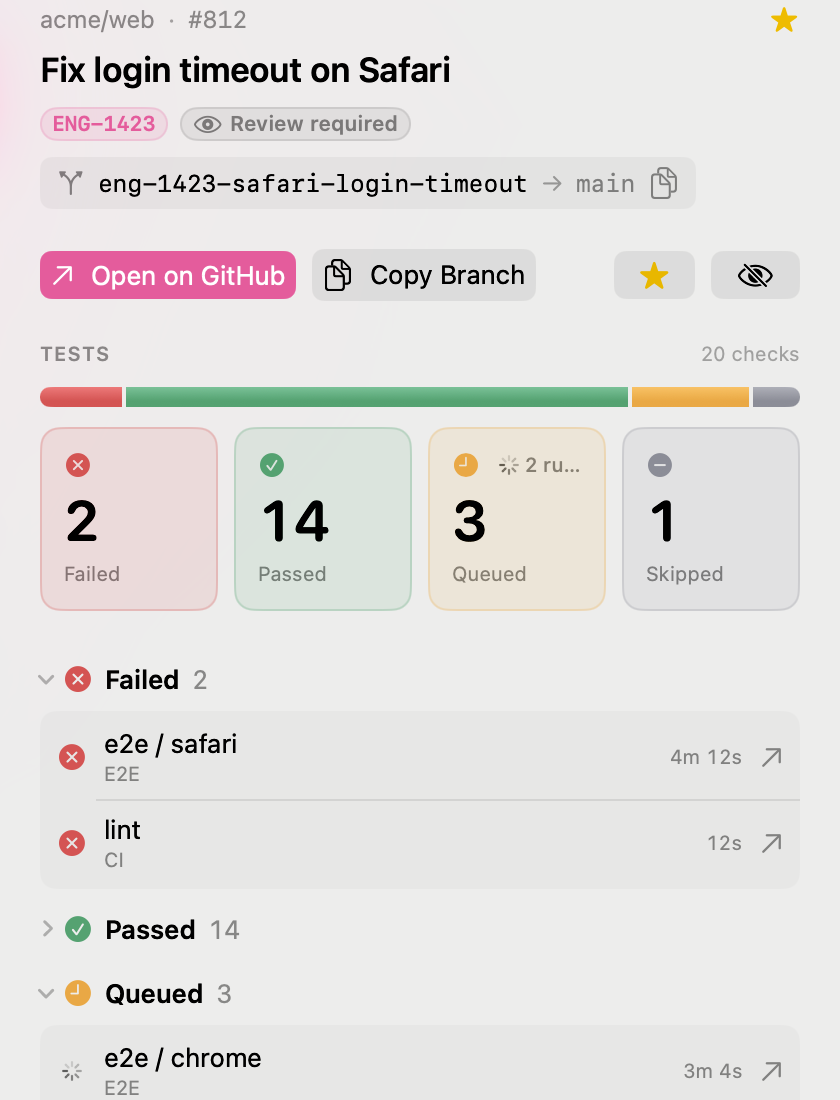
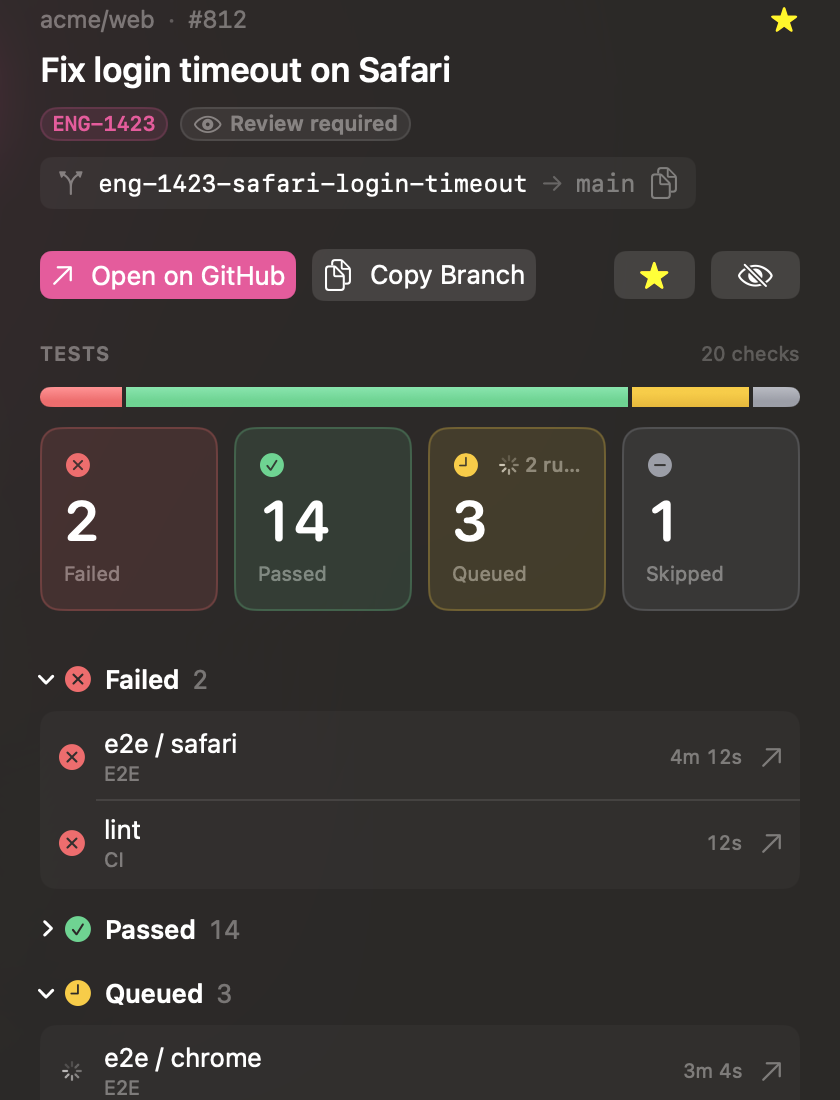
A segmented bar shows the shape of a run at a glance. Failures open by default; passes stay folded away until you want them.
Tickets
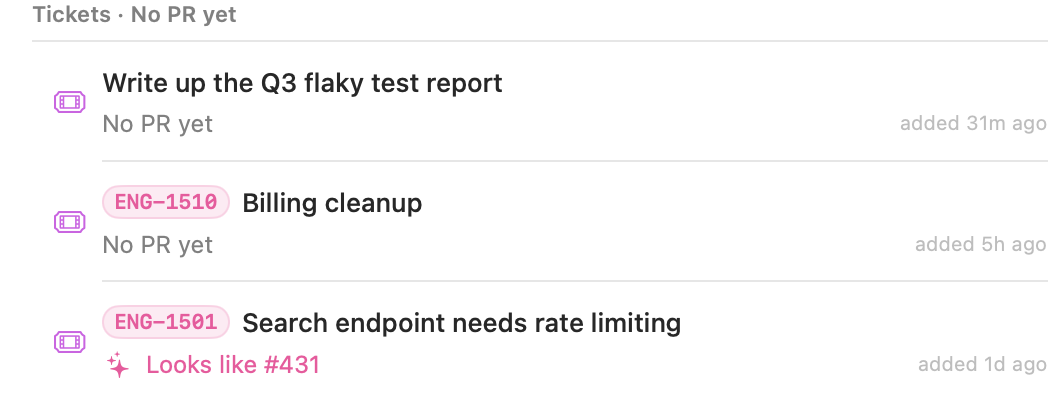
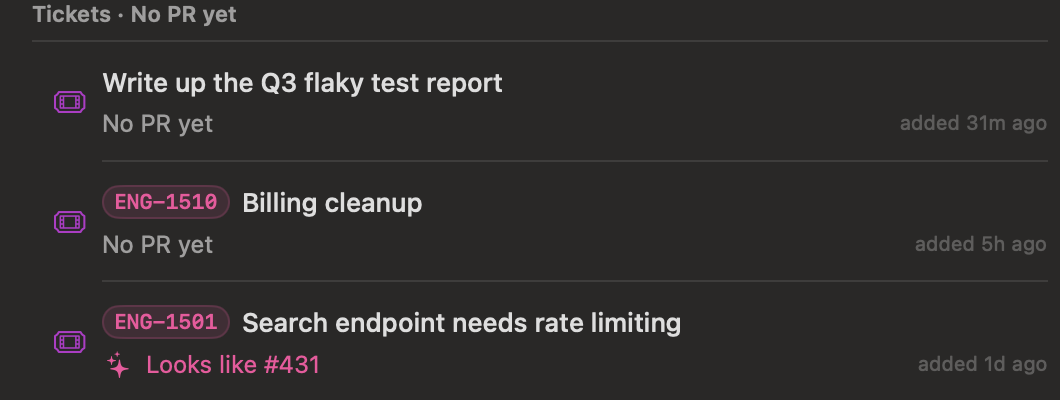
Press ⌘N, type a title, hit Return. Paste a Jira, Linear or Shortcut link and the ticket key fills itself in.
Refresh
Shipyard watches what you're watching. It polls hard while your starred PR's tests are running, then eases off so it never burns through your GitHub rate limit.
Shipyard borrows your GitHub CLI login, so there's no token to paste and no repos to pick. If the token ever changes, it quietly picks up the new one. SAML orgs get a one-click authorize banner.
Close the window and it keeps running. Hide the Dock icon entirely, launch at login, and set a global hotkey to drop the popover down from anywhere.
Off by default. Turn them on to hear when your starred PR's tests finish or a check fails. Click one to open the failing check.
Every count sits next to its own icon, so the buckets read just as clearly for colorblind users. Animations respect Reduce Motion.
Every action has a shortcut. Arrow through the list and never touch the mouse.
A few of the decisions behind it, for the curious.
SwiftUI's MenuBarExtra renders its label as a monochrome template, which would make red and green impossible. The status item is an AppKit NSStatusItem instead, with colored SF Symbols attached to an attributed title.
A single GitHub GraphQL search fetches every PR with its latest commit's check rollup. Each response reports the remaining rate limit, and Shipyard slows itself to every 10 minutes if that runs low.
All networking lives in an actor so the UI never waits on a request. SwiftData caches PRs, tickets and hidden state, keyed by GitHub node IDs so nothing breaks when a PR is renamed.
Hardened Runtime, signed with a Developer ID, notarized by Apple and stapled. One release script goes from source to a drag-to-install DMG and publishes a Sparkle 2 update feed. Installed copies check it daily and only accept updates signed with the release key.
brew install gh then gh auth login.